From sign-up to your first audit-ready kit
Five steps, about ten minutes. No install, no card, no training needed.
1. Create your account
Go to the sign-up page and enter your organisation name, your name and an email address. You'll land on your dashboard straight away on the free plan — one kit location, up to 20 items, full expiry tracking, no time limit.
2. Add your first kit location
From the dashboard, open First Aid Kits → Add kit. Give it a name that matches the real world — "Reception", "Workshop", "Van 3" — so anyone scanning it knows exactly which kit they're checking.
3. Load the items
Click Add items → ISO 45001 suggested list to pre-fill a compliant British Standard kit, then adjust quantities to match what's actually in the box. Set the expiry date on anything date-marked (saline, dressings, burn gel) so reminders can do their job.
Bulk-managing lots of kits? Use Import from Excel to load items in one go. Not sure what belongs in a kit? See our guide to workplace first aid kit contents.
4. Print the QR code
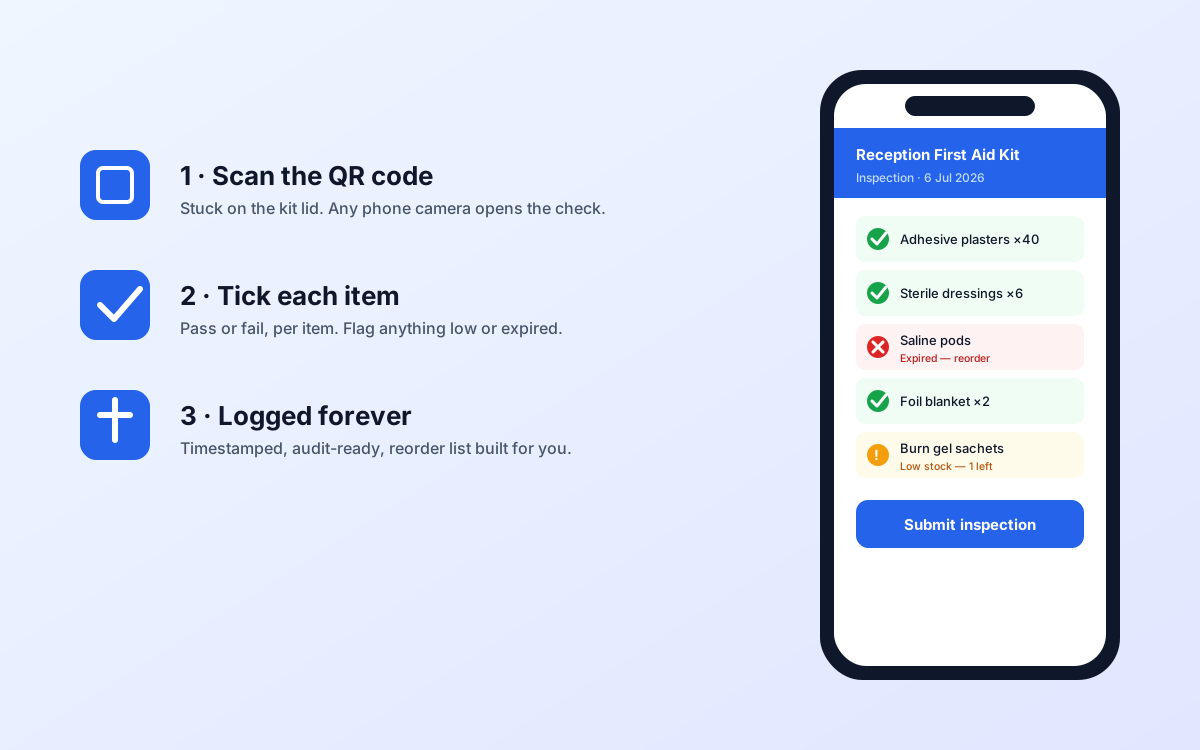
Each kit gets its own QR code — open the kit and click the QR button to download a printable label. Stick it on the lid. From then on, anyone can scan it with a phone camera to run an inspection; no login to hunt down.
5. Run your first inspection
Scan the code (or open the kit and click Inspect). Tick each item pass or fail, flag anything expired or low, and submit. The check is timestamped and stored forever, and anything that failed drops onto your reorder list automatically.
What to do next
- Invite your team and assign first-aiders under Courses so certificate expiry is tracked too.
- Add AEDs, eye-wash stations and other kit under Equipment to track service dates.
- Read the User guide for day-to-day workflows.